
Changelog
Changelog
Section titled “Changelog”Version 3.0 (Autumn 2026)
Section titled “Version 3.0 (Autumn 2026)”The whole app, rebuilt: a new design with dark mode, a planning board made for busy mornings, screens that update live while your team works, and money figures you can trust wherever you open them. 475 changes and more than 100 new features.
New Features
Section titled “New Features”Dark mode
- Switch between light and dark in the header, or let Geek Divers follow your device. Every screen, dialog and printout preview has both.
A new planning board
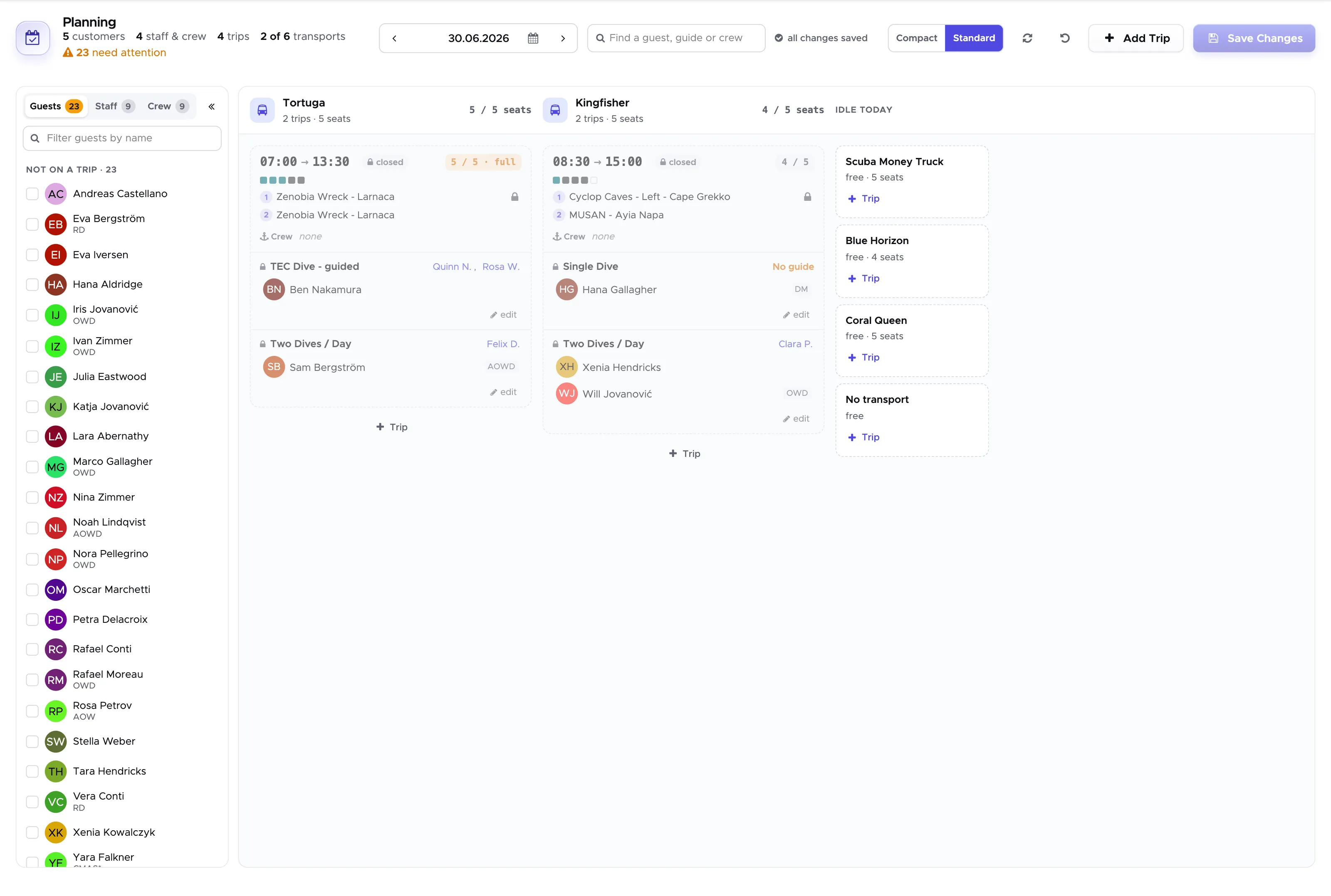
- Every departure is a card with boat, sites, guide and free seats; the header shows the day’s numbers.
- A searchable dock of guests and staff that you drag onto any trip.
- One boat, one destination: the board warns when a boat is sent to two places at once.
- Capacity counts everyone on board - guests, staff and crew, each person once.
- Closed trips stay visible and locked; course cards are marked.
Live updates across the team
- When a colleague changes a trip, course or task, your activity calendar updates by itself within a second.
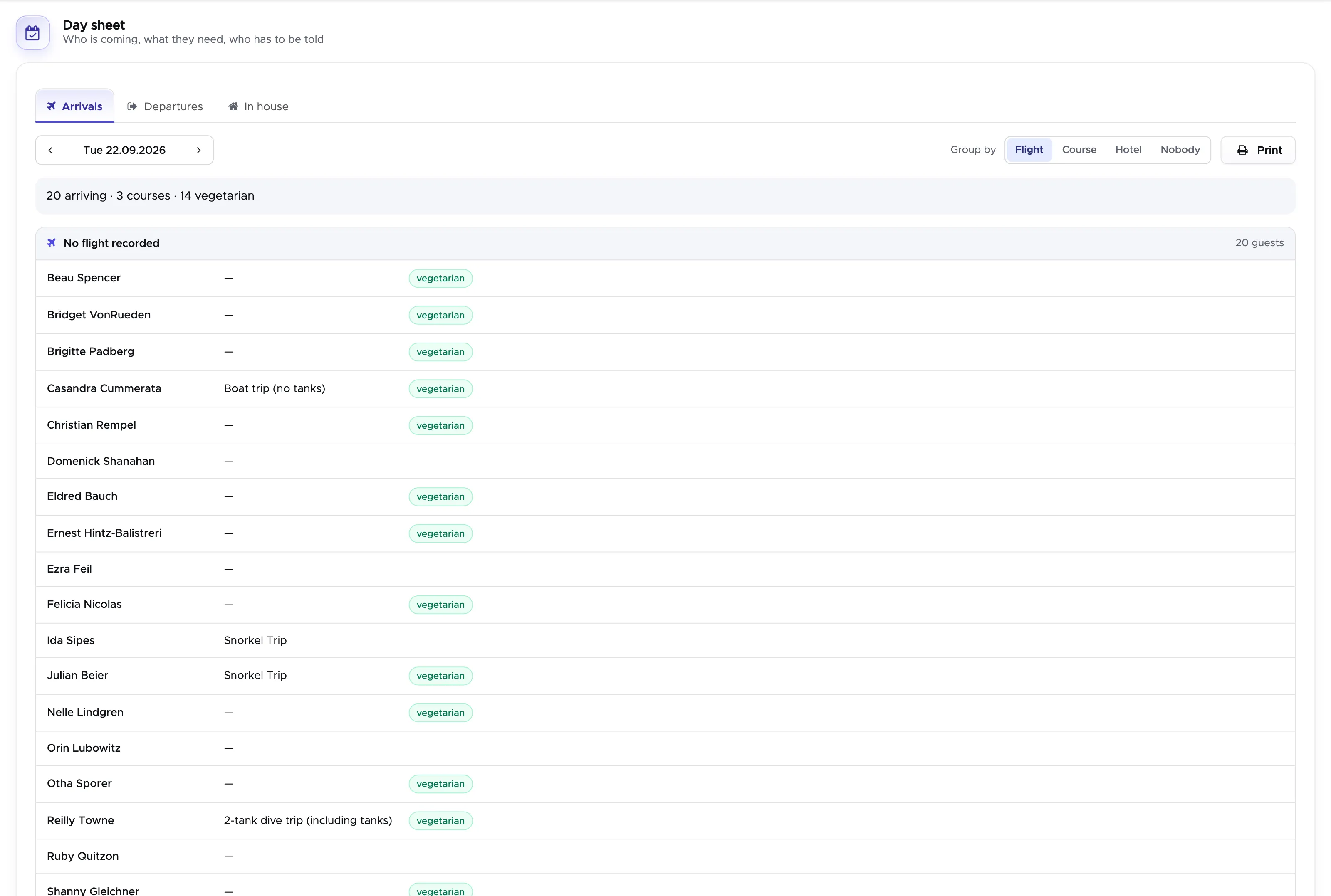
The Day sheet
- Who arrives today, when their flight lands, what they need and who has to be told - arrivals, departures and in-house guests, grouped by flight, course or hotel, ready to print for the driver.
- A Pick-up list for every day: everyone on a trip or course, across all trips, with accommodation, pick-up time and whether they are collected at all - editable right in the list.
- Send more than one vehicle? Give each guest a tour, per row, per hotel in one step, or by dragging, and print one block per driver.
A dashboard for the morning questions
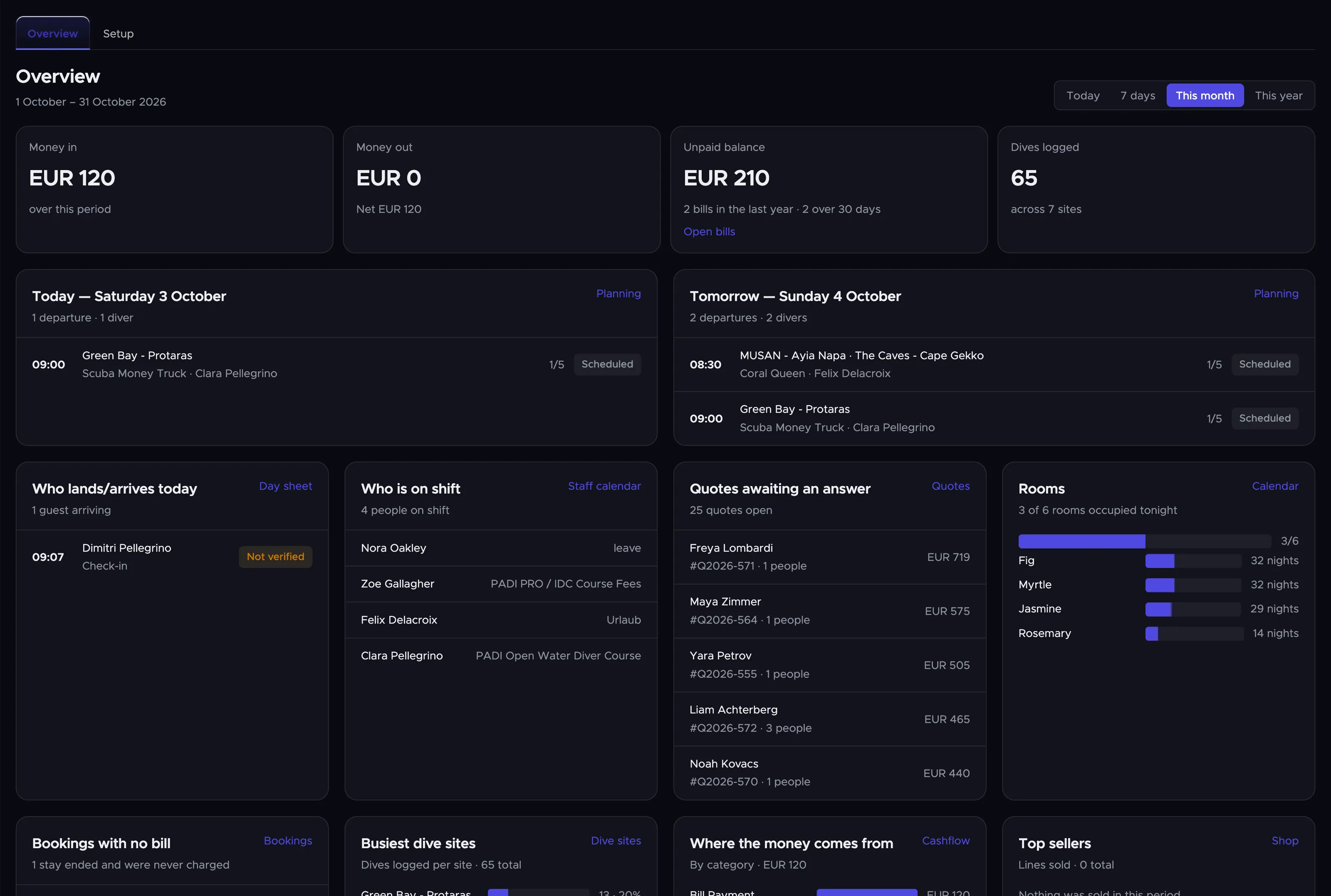
- Money in and out, open bills, today’s and tomorrow’s departures, who lands today, rooms occupied tonight, who is on shift.
- Stock running low and tanks out of test.
- Every card opens the screen behind it; each person only sees what their permissions allow.
- A Setup checklist that walks new centres through prices, rooms, staff and partners.
Finance dashboard and new reports
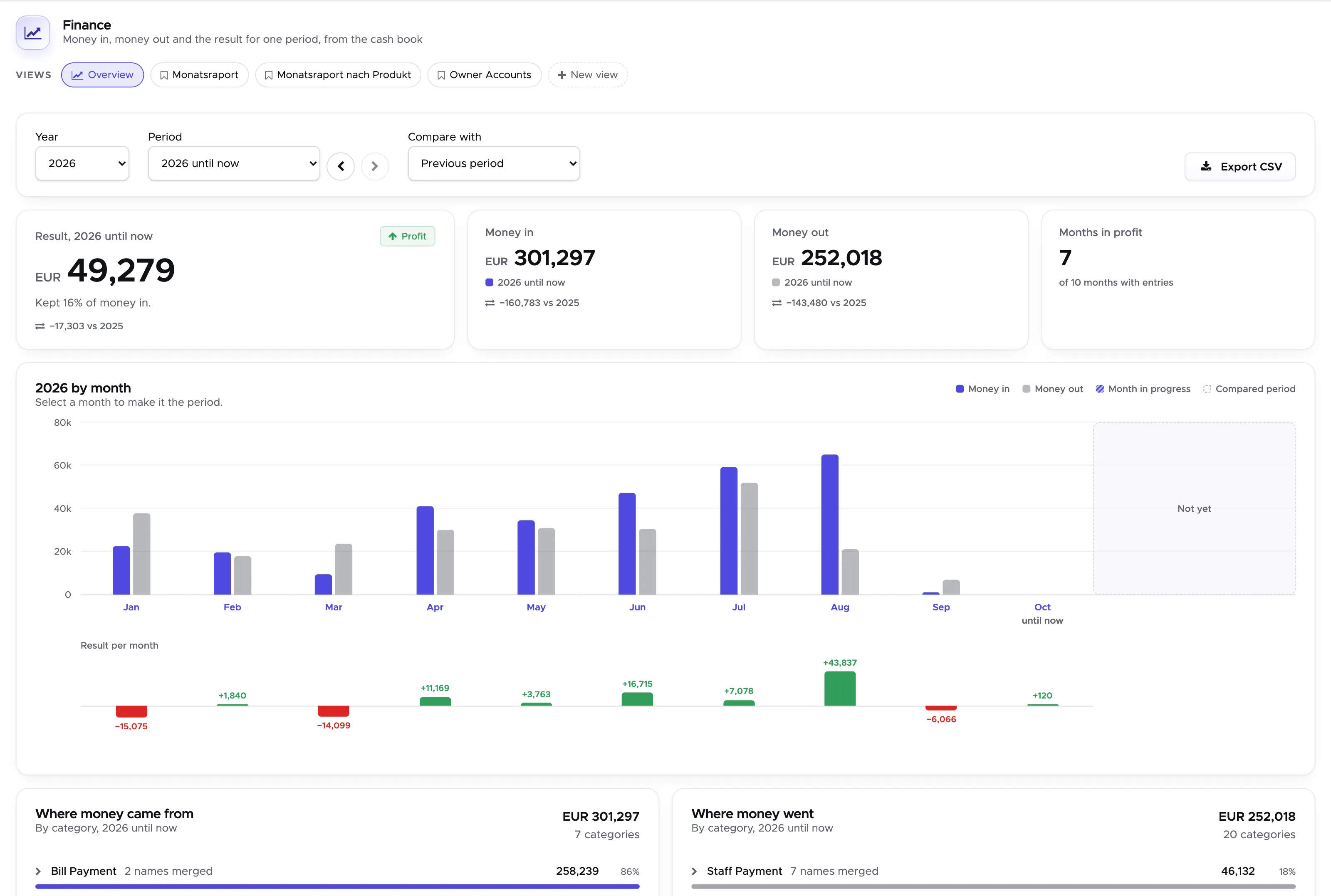
- One Finance dashboard with a period, a month chart and your saved reports as one-click views.
- Trip fill (how full your boats really went), Guest value (what a guest is worth over their stay), Customer tags (the “how did you find us” answers, month by month) and a rebuilt Accommodation report.
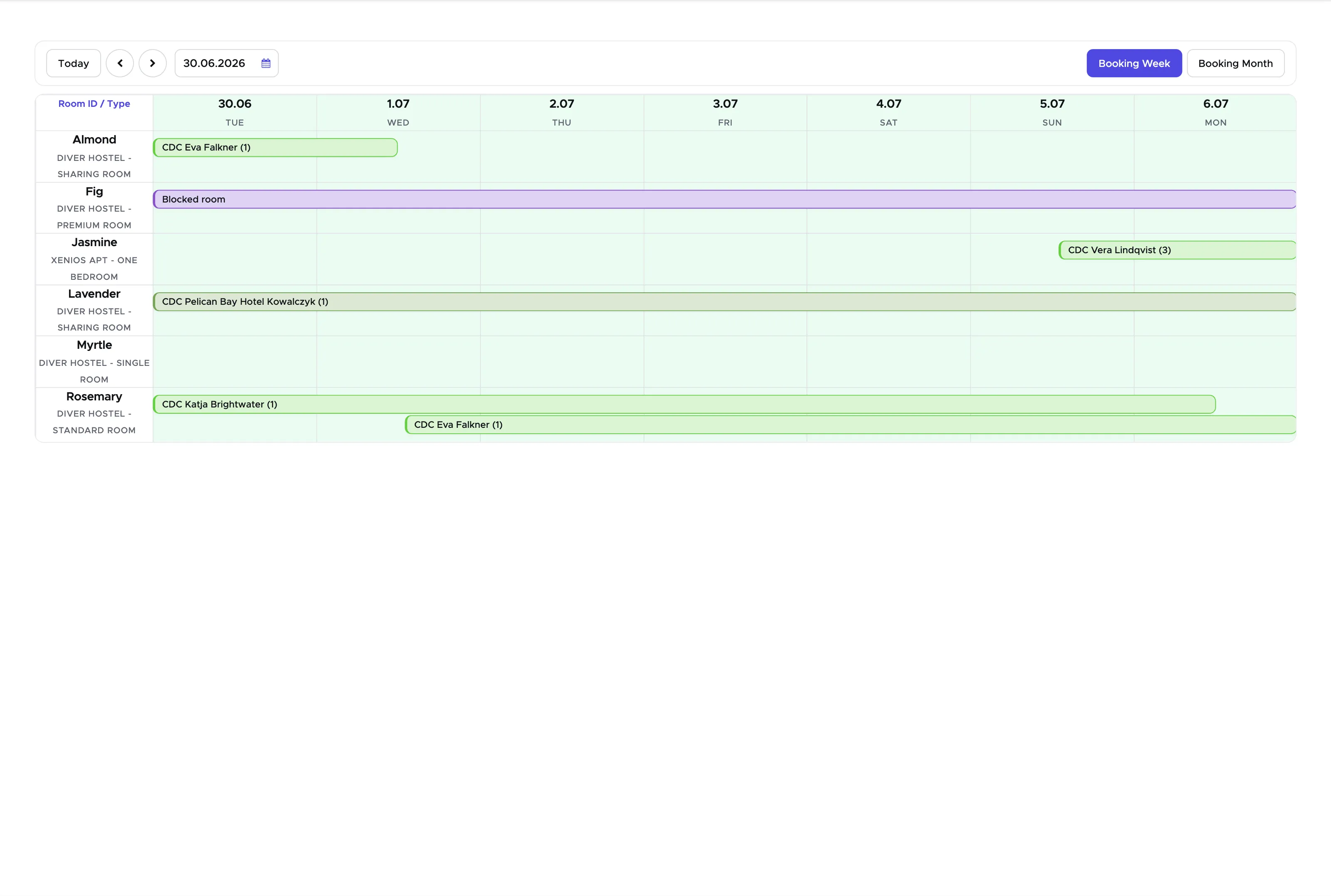
Accommodation, the way you actually book
- Drag a reservation to another room or date, with the new price shown before you confirm.
- Change the stay dates right from the booking sidebar.
- An open quote’s rooms move with the quote when you change its dates.
- Quotes past their validity show as Due, with the date they expired.
- Guests on a quote are the real people, and their names carry over to the bill.
Service charge
- Per price list item, room or meal plan; shown per position on the bill, printed on the invoice if you want, exported in the CSVs and never counted into commissions. Switched on per centre.
Price list
- Bulk edit prices, tax and included rates across many items, with a preview before and an undo after.
- Import a price list from a PDF into ready-to-check items (on request).
- The list keeps your search and filter when you come back from an item.
Trip Builder
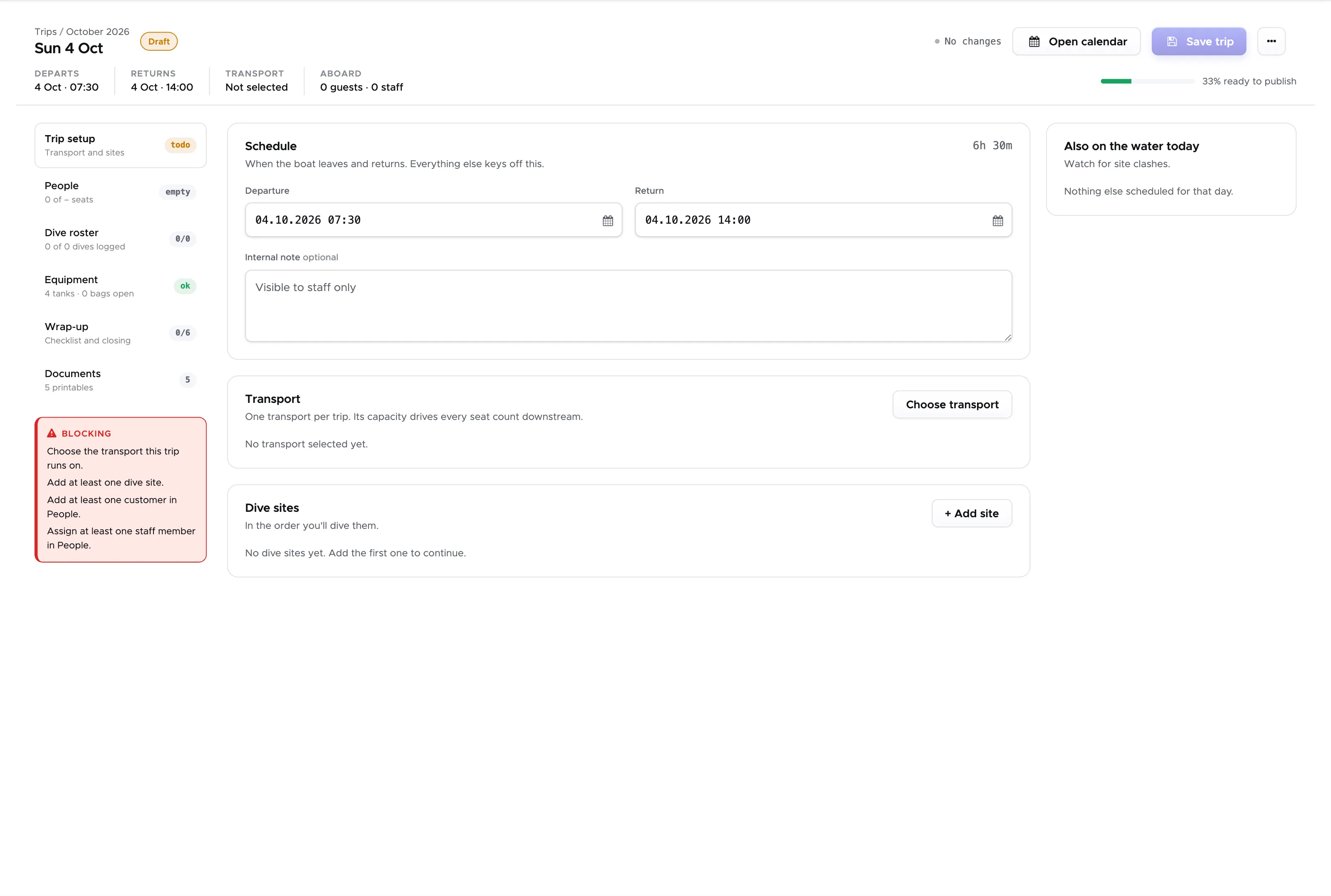
- Replaces the old New Trip screen: simpler, clearer and quicker to put a trip together, with who is aboard as avatars, advanced search, and creating a customer on the spot.
- The trip list and the custom trip list now share their common columns: a pick-up time, a tick or an accommodation typed into one shows in the other.
Activity calendar
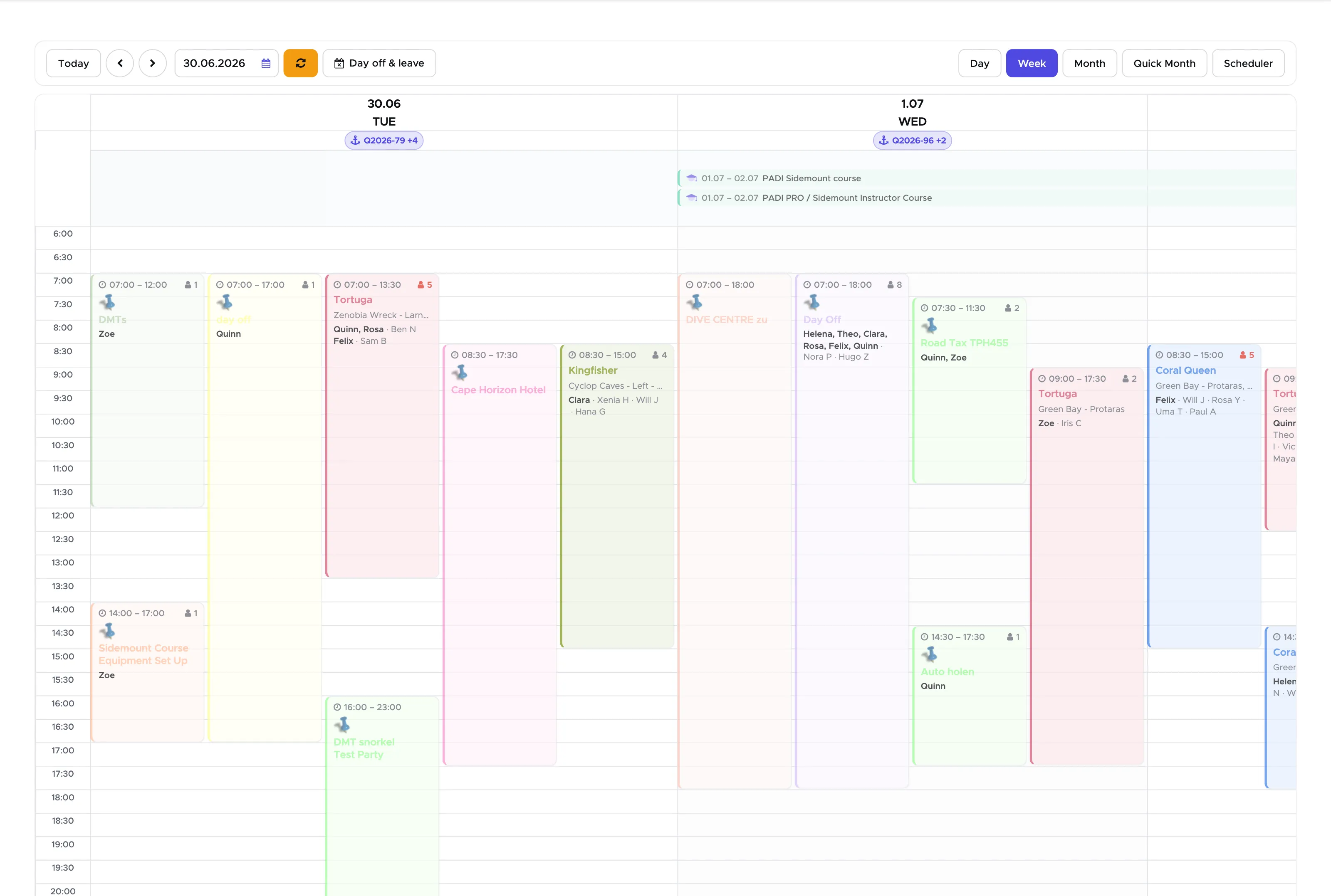
- Trips are titled with the boat name.
- A Day off & leave toggle shows staff absences from the staff calendar.
- Multi-day tasks such as holidays sit in the all-day strip.
Equipment checks
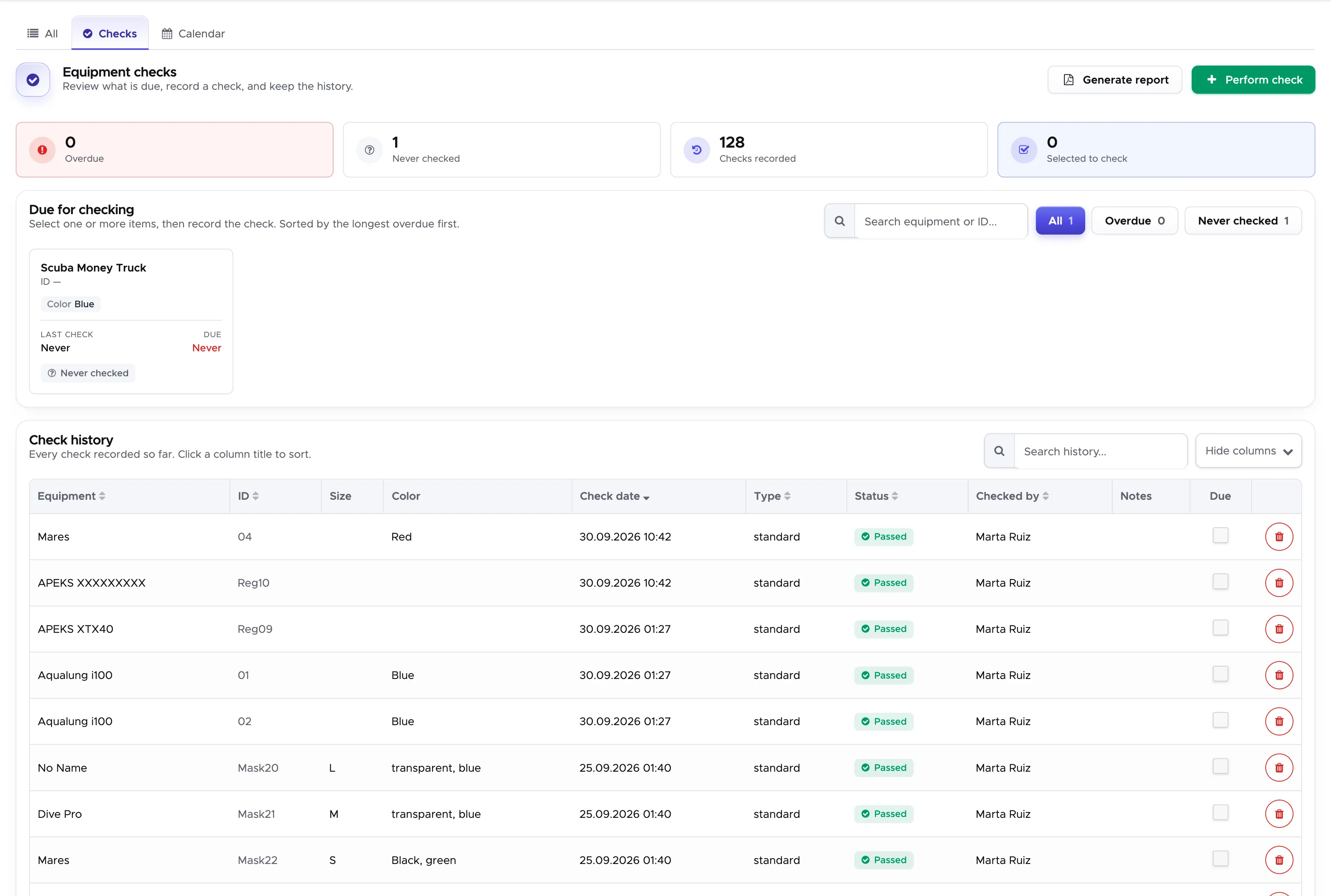
- Record the regular checks of tanks, regulators and all other equipment, and Geek Divers works out when each one is due next.
- Counters for overdue, due soon and never-checked equipment, and a report you can print or export.
- Overdue items are highlighted on the equipment list and the dashboard.
Equipment
- The customer’s gear shown on a diver figure, with a switch back to the classic list.
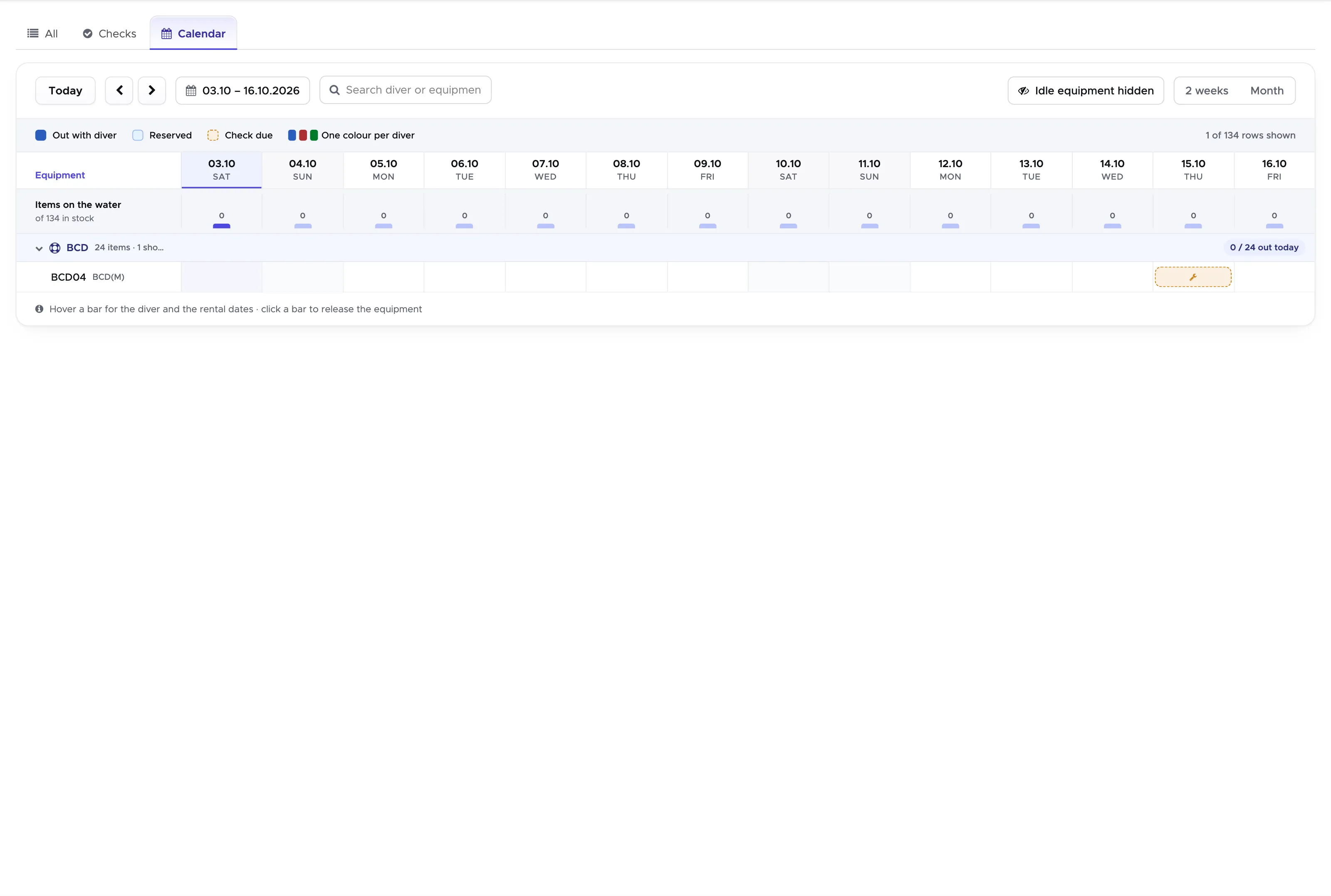
- The equipment calendar as a rental timeline, one colour per diver.
Online registration
- A new step-by-step design with dark mode and your brand colour.
- Guests enter their arrival flight; picking a check-in fills in the flight’s date.
- Approving a registration sends the welcome mail.
Marketing: the Audience Builder
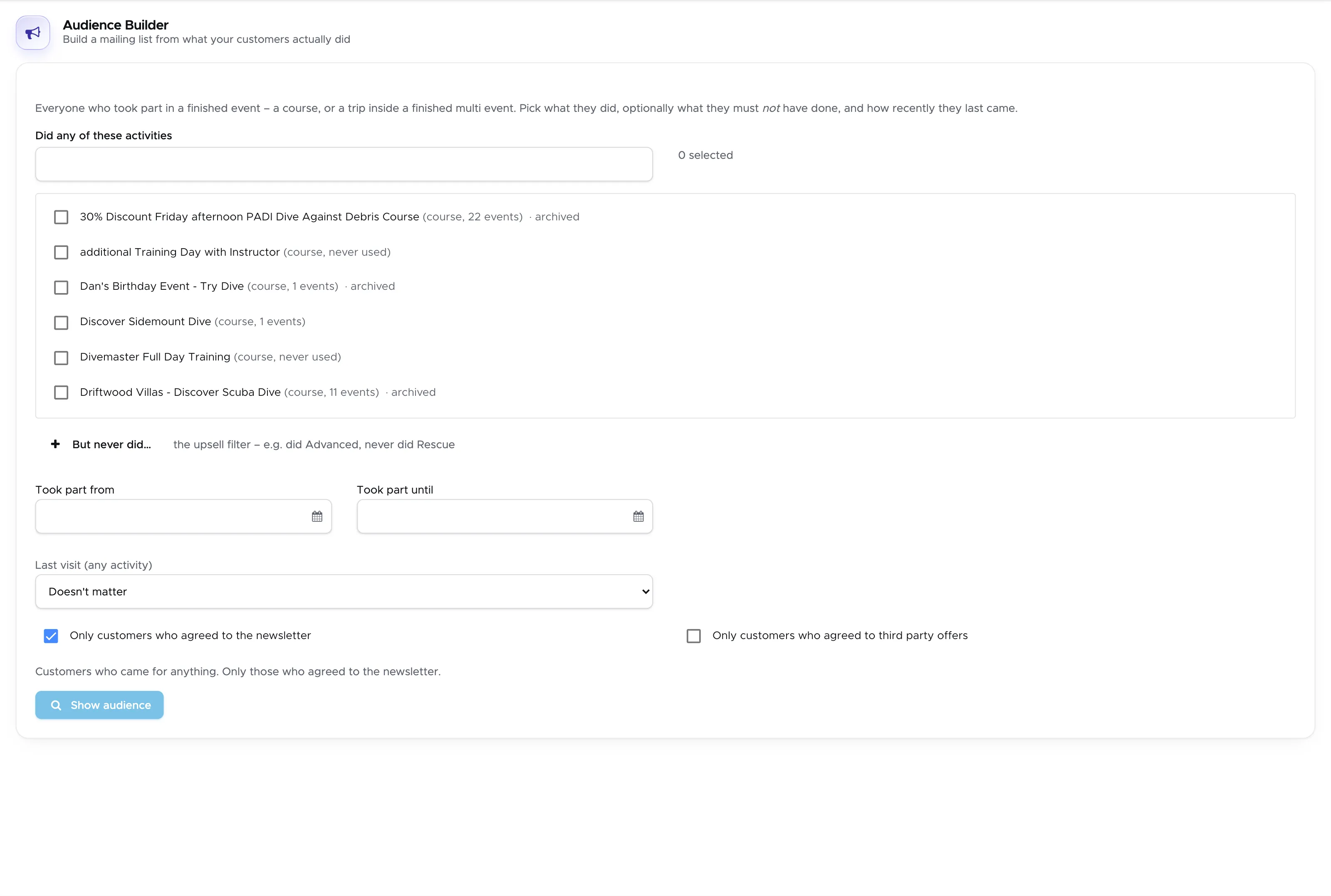
- Build a mailing list from who has actually dived with you: pick the courses and trips they did, and the ones they never did - “did Advanced Open Water, never did Rescue” is your Rescue mailing.
- Narrow it by period and by last visit: a win-back list of guests who have not been back for a year, or everyone from last season.
- Only guests who agreed to the newsletter, if you want - using the consent from the online registration.
- The audience is sized before you export it, and one sentence says in plain words who is in it. Export as CSV for your mailing tool.
POS and stock management
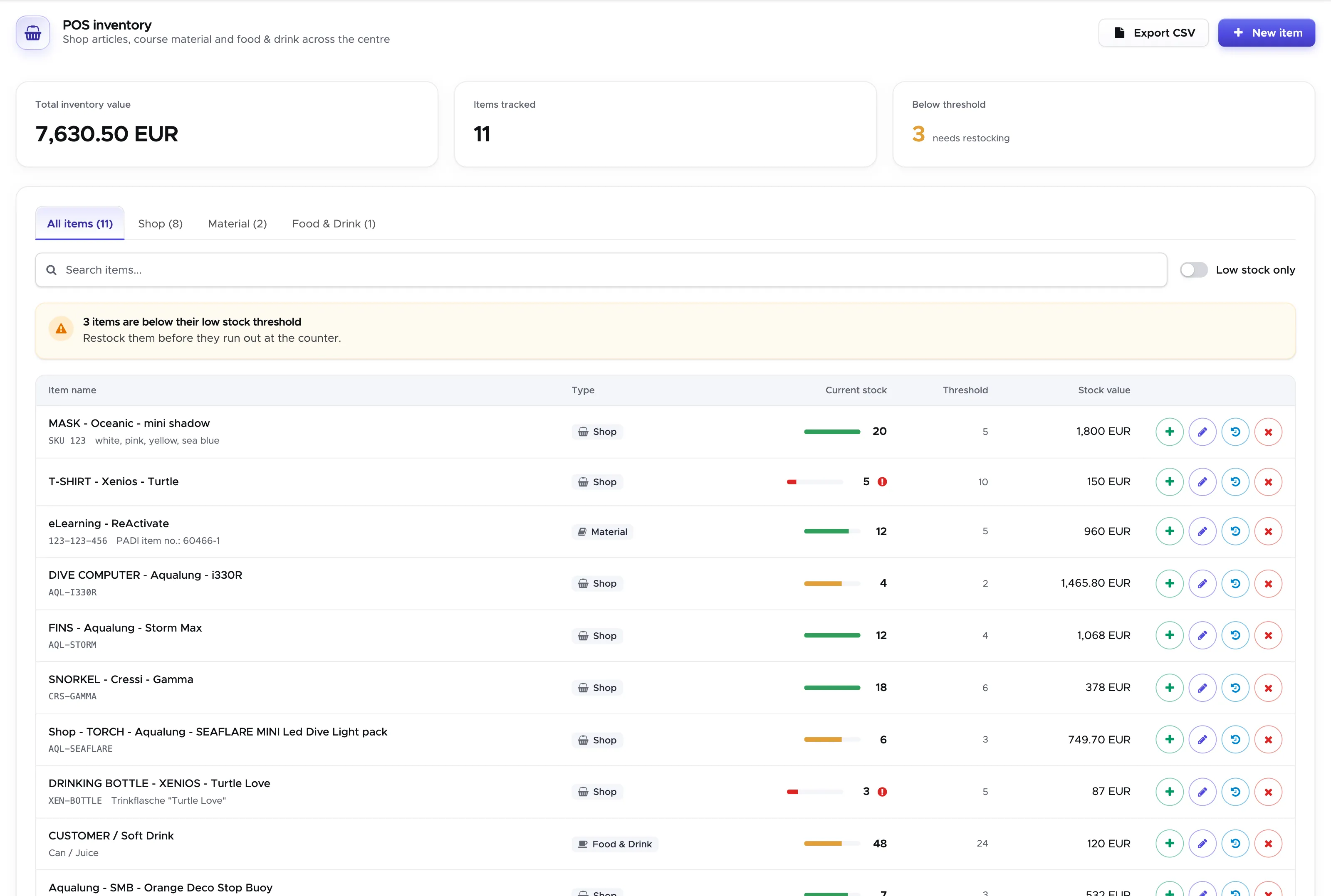
- Brand new: keep your shop and rental stock in Geek Divers. Sell items straight on the bill, and the stock counts down by itself.
- An inventory screen with stock value, item and low-stock counts, tabs for shop and rental items, search and a Low stock only switch.
- Stock bars on every row, a warning for items running out, and an SKU per item.
- A stock history where every sale links to its bill; items running low also show on the dashboard.
Bills, invoices and the cash book
- A redesigned bill and invoice screen; partner invoices grouped by quote.
- Download all closed bills of a period as one PDF each, in a zip.
- Attach one or several receipts to a cash flow entry.
- Verify and check in straight from the customer’s header.
Quiet notifications
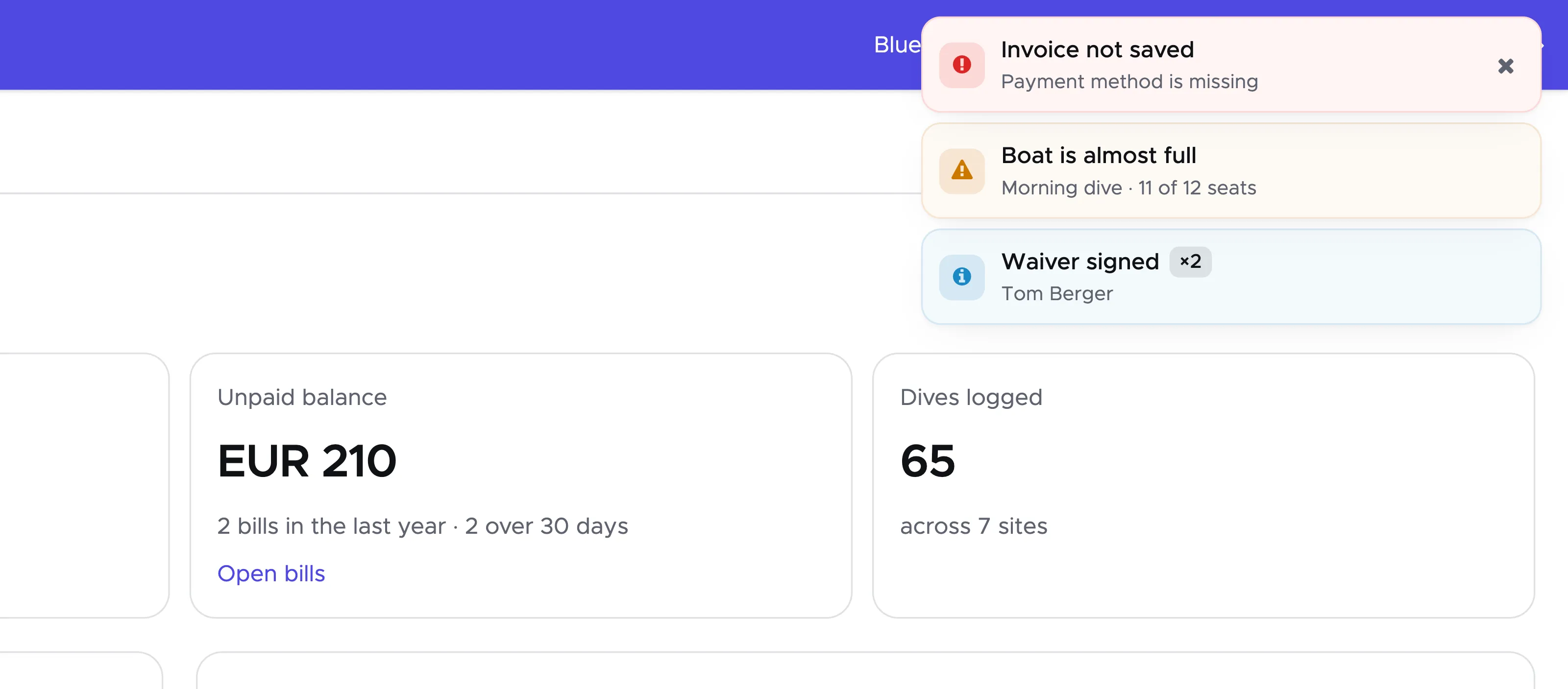
- Messages stack in one corner, merge when they repeat (“×3”), pause while you read them and never cover a dialog. Errors stay until you close them.
Course checklists
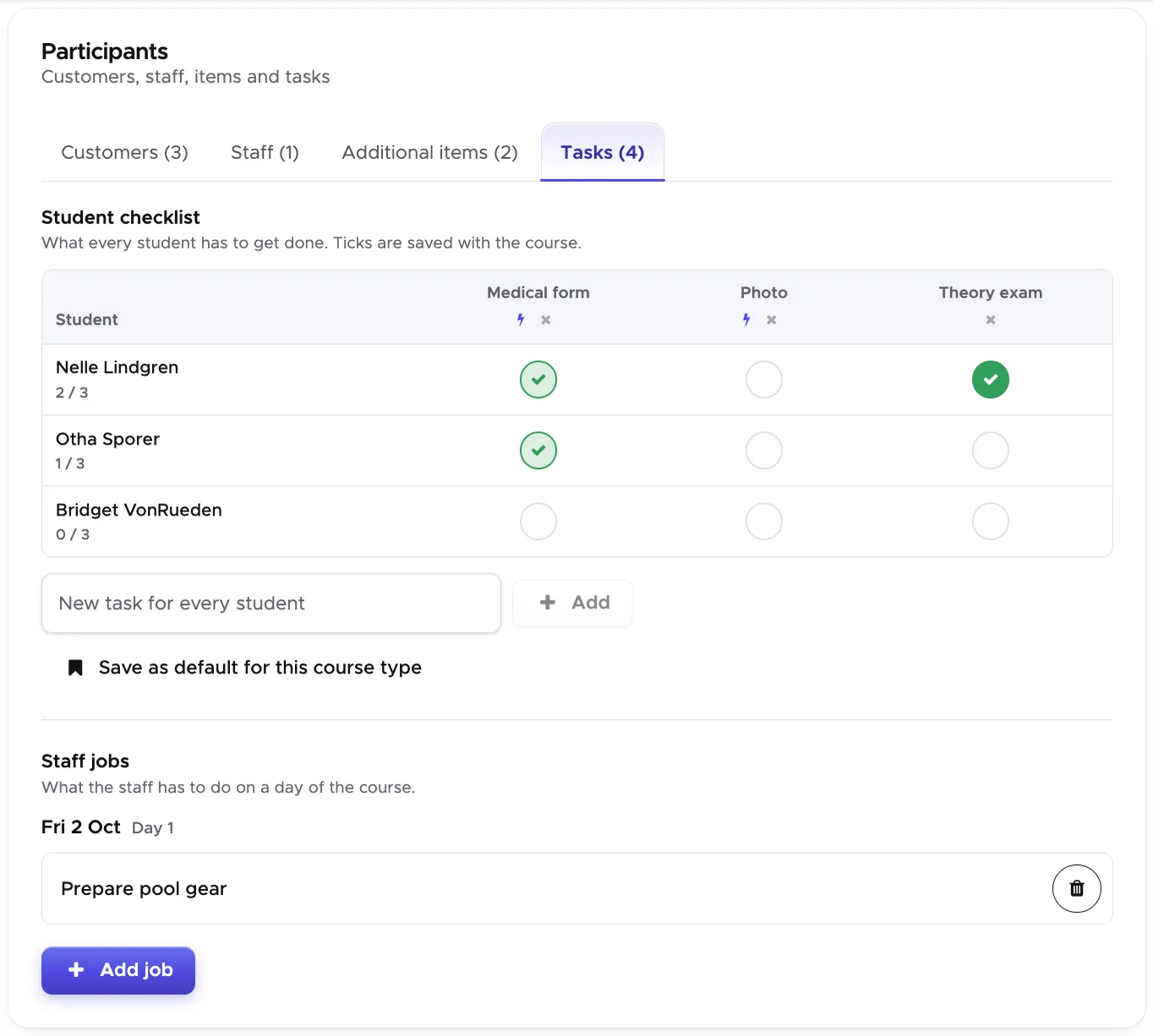
- A checklist on every course: one tick per student and task, with “2 / 3” beside each name. Medical form and Photo tick themselves from the customer’s record.
- Each course type has its own starting list, set in Settings or saved from a course. Drag the tasks to change their order.
Customers
- Possible duplicates lists the customers that may be the same person, to merge or to mark as Different people. Groups marked that way stay out of the list and can be brought back.
- A new customer export, Arriving soon, no form: the guests who check in within the next days and have not filled in the registration form. The dashboard tells you when there are any.
Activity Calendar
- Drag a task to move it; hold Option/Alt while you drop it to copy it.
- One-day courses can be shown in the strip above the schedule, like the courses over several days.
- Closed trips and courses carry a padlock.
Always on the current version
- An open browser learns of a new version and reloads by itself, after the next change of screen or after half an hour untouched. Tabs that were opened before this release need one manual reload.
Improvements
Section titled “Improvements”- Redesigned for easier use: the customer, staff and partner/agent pages, all settings, quotes, exports, equipment, every list, bills, financial reporting, the registration and booking forms, and messages. Plus brand colour presets.
- Titles on the activity calendar are readable on every card colour, in light and in dark.
- Tabs instead of long menus: customers, staff, partners, bills, invoices, quotes and equipment each open as one screen with tabs.
- One date picker everywhere, with Today and Clear.
- Forms work on phones and tablets.
- Calendars, reports, the dashboard and the day sheet show the dive centre’s day and time, even when opened from another time zone.
- The closed bill list loads page by page, with search and sorting.
- Partner invoices download as “Partner - Invoice number.pdf”.
- Transports may overlap by default; one trip at a time is a switch per piece of equipment.
- Under the hood: Angular 21 and Node.js 22, uploads through the server with signed links, security headers and protection against request floods, and 158 automated end-to-end tests before every release.
Bugfixes
Section titled “Bugfixes”Along the way we also sorted out a few things that had bothered us for a while:
- Room prices across a season boundary and across the daylight-saving change are counted night by night; a stay over the October change was priced one night too many.
- Bill exports and the cash flow cover exactly the dive centre’s days, so every browser gets the same totals, wherever it is.
- Stay dates and flight times from the online registration are stored as the dive centre’s time.
- Tasks and holidays that started before the visible range no longer disappear from the calendar.
- An accommodation typed into a trip list now also reaches the trip lists of a student’s own course days.
- A “Pick up” box unticked in the custom trip list stays unticked; it used to be ticked again from the customer’s record each time the trip was opened.
- A trip left open in another tab during a customer merge can no longer bring the merged customer back; the old tab is asked to reload.
Version 2.2.3
Section titled “Version 2.2.3”New Features
Section titled “New Features”-
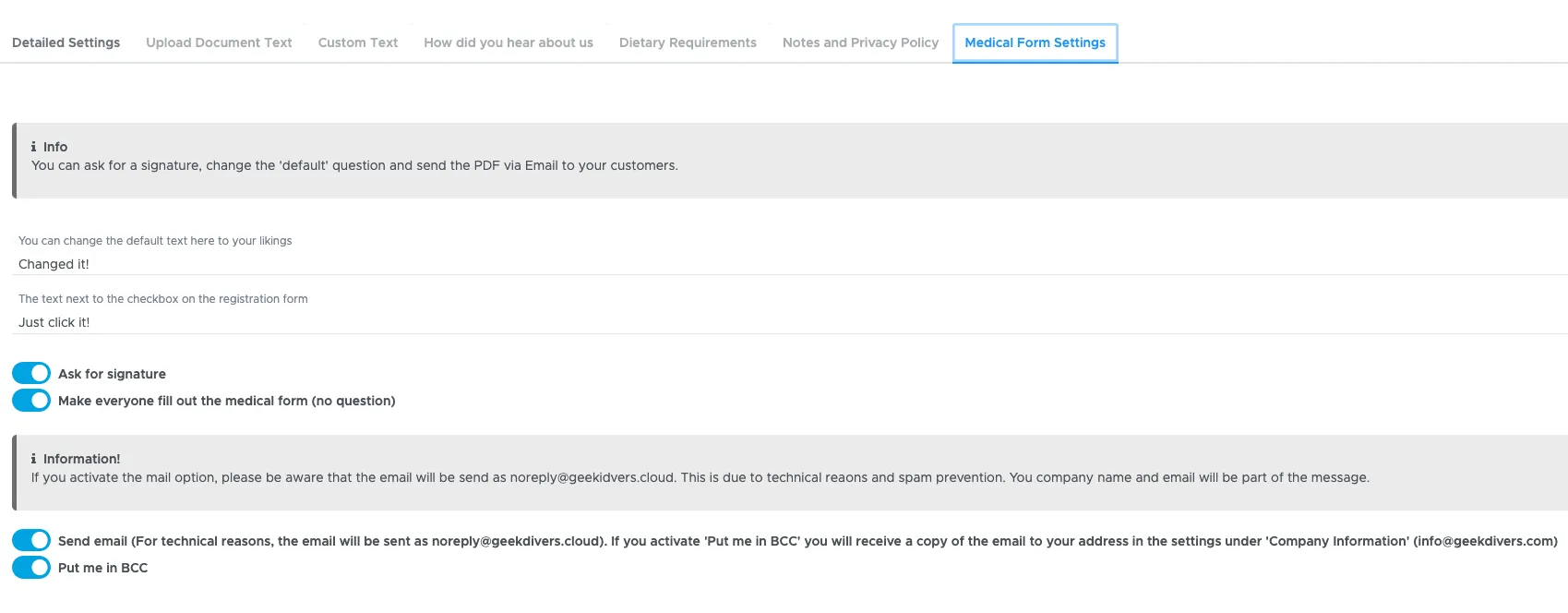
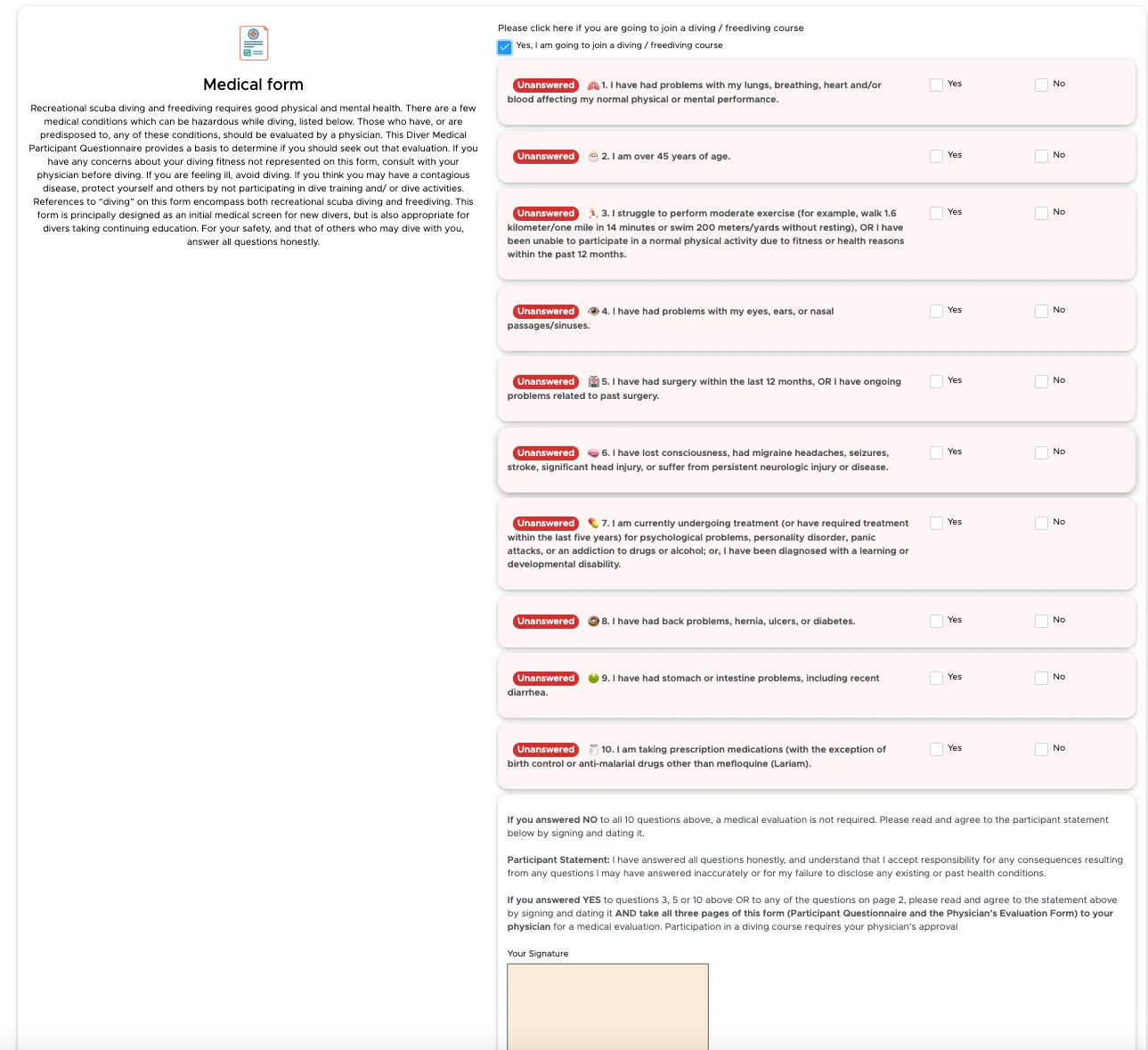
Medical form now can be customized and we introduced the sending of emails
-
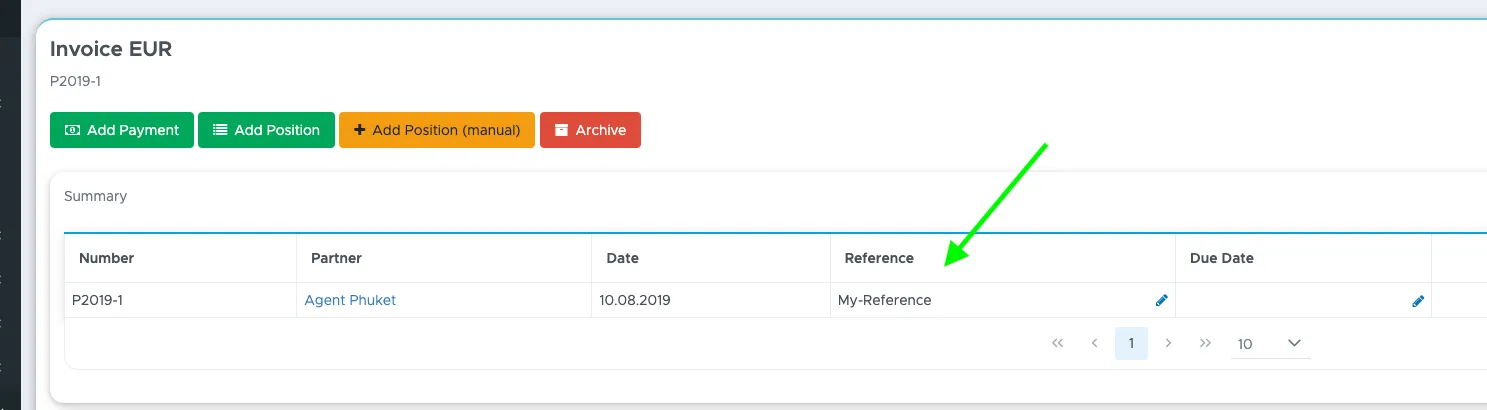
New reference field in quotes and partner invoices
-
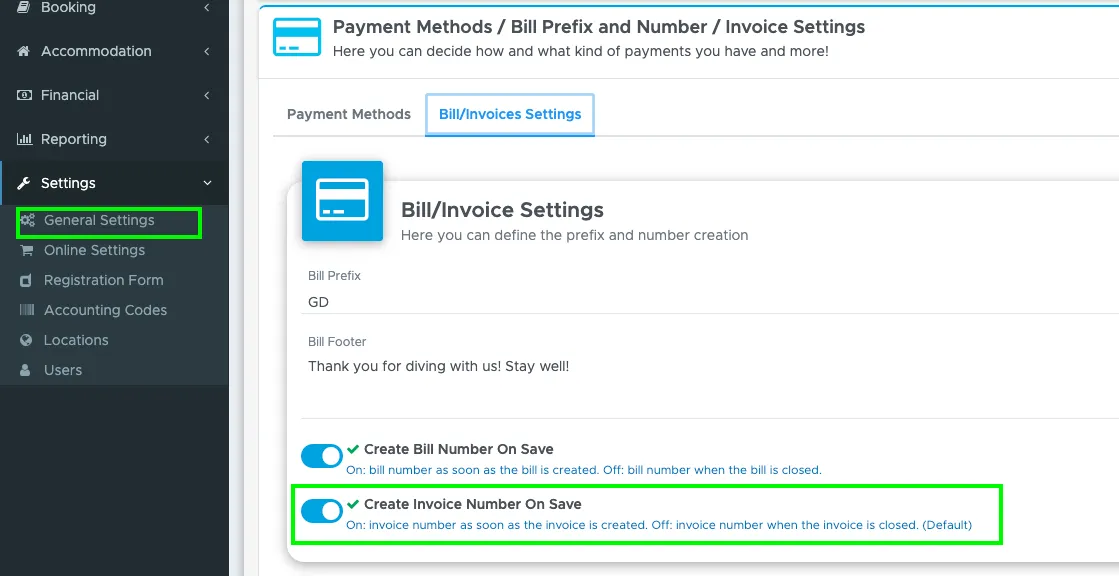
In partner invoices you can now choose to create a number on save.
-
Added count to customer views to see the total (current / upcoming)
Bugfixes
Section titled “Bugfixes”- fixed a misleading message when creating a new trip (Trip has changed when it did not)
- fixed a time conversion bug in the registration form that could have led to dates being one day before or after the actual check-in/out
Version 2.2.2 (Update May 2025)
Section titled “Version 2.2.2 (Update May 2025)”New Features
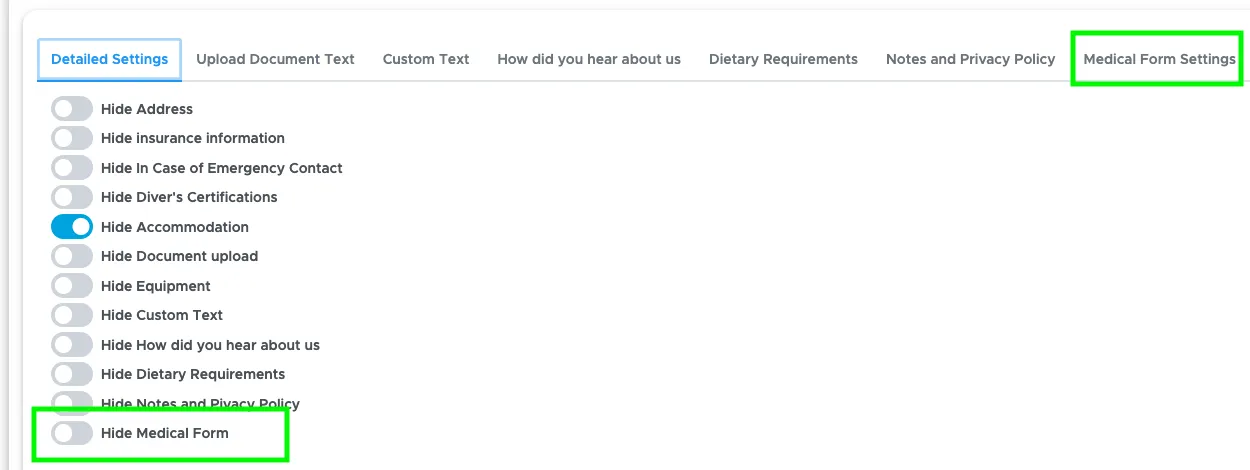
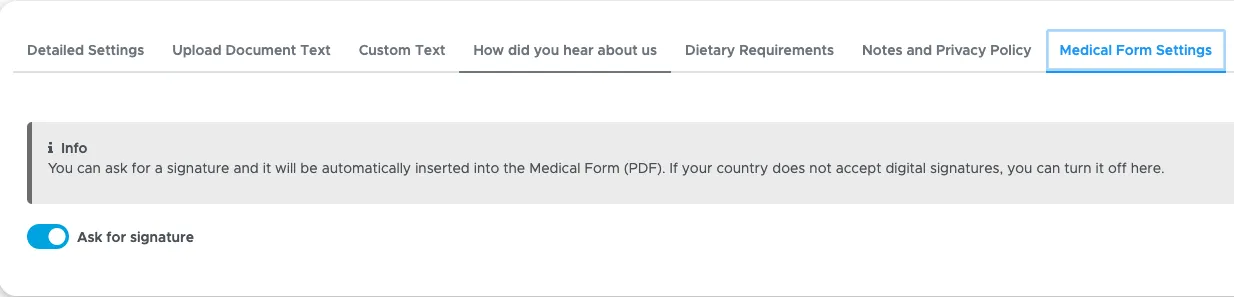
Section titled “New Features”- Introduced the medical form, that can now be configured in the settings and will create a PDF with the customer and dive center data
Bugfixes
Section titled “Bugfixes”- fixed an issue in the partner price list
Version 2.2.2
Section titled “Version 2.2.2”Bugfixes
Section titled “Bugfixes”- Fixed an issue that prevented additional items to be updated with tax in the partner price list
- Fixed a bug in the new Excel export that created documents without content
- Loading time in the Trip-List has been improved
- Fixed an issue that caused a bill not to be printed if it had only deleted positions
Version 2.2.1
Section titled “Version 2.2.1”New Features
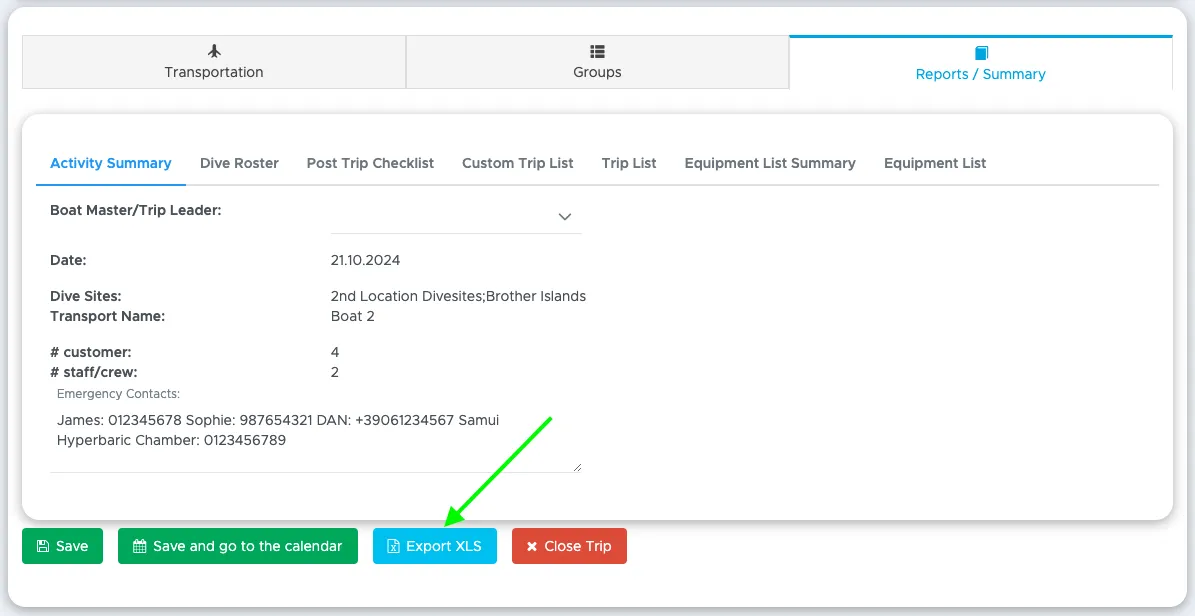
Section titled “New Features”- Added an Export XLS button to the trip reports, which now creates an excel sheet with trip list, equipment list, trip, customer, staff and crew
- Added a new Category to the price list items (Travel-Service)
- Added the checkout date to the customer export
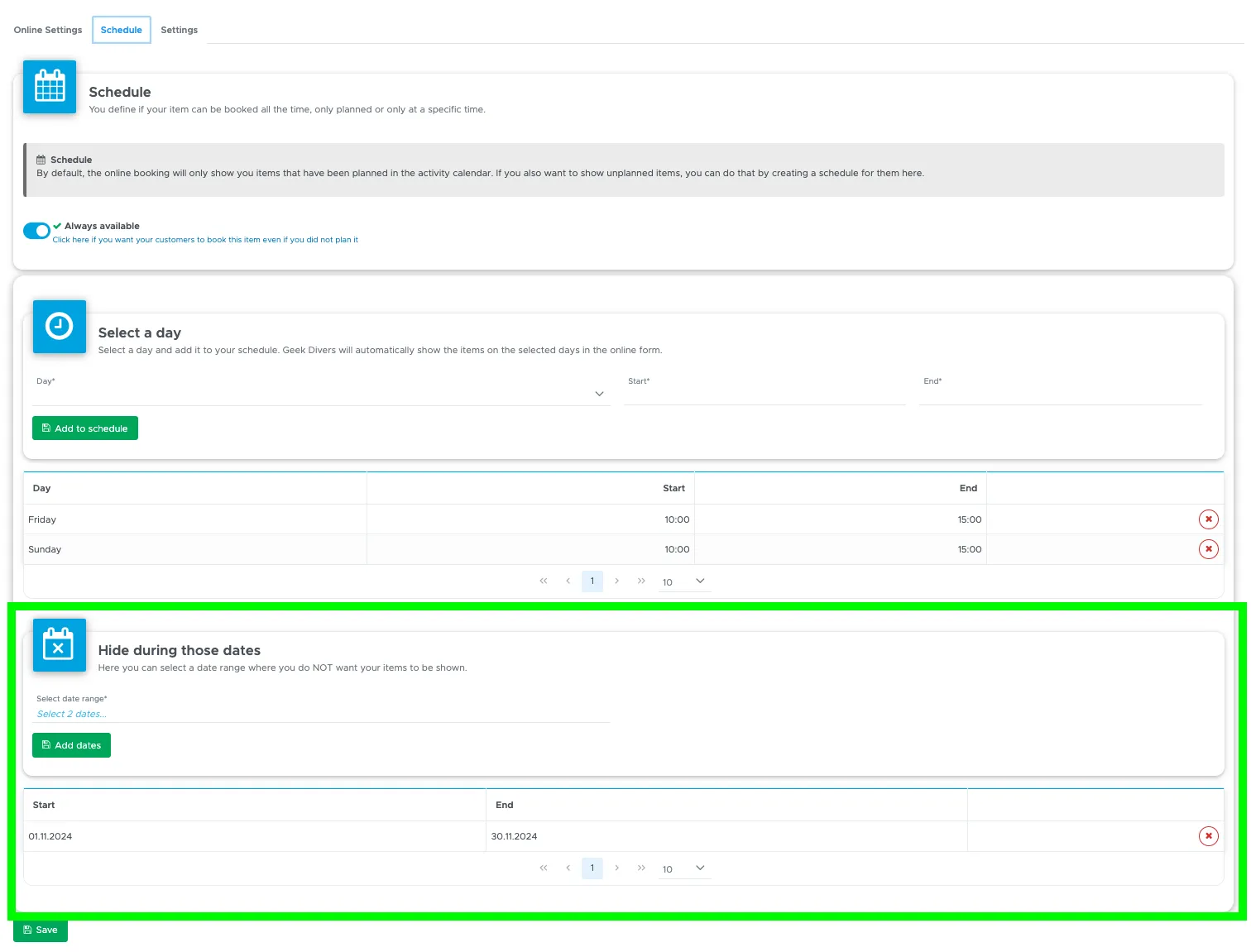
- Added a date range to modify the availability for the online bookings
- Added a new link to an updated documentation
Bugfixes
Section titled “Bugfixes”- Fixed an issue with equipment report not saving all data in rare cases
- Bills without bill positions can now be printed