
Dive Sites
From the menu on the left, click on Diving and Dive Sites.
To enter your dive sites, click on button New dive site. A form opens in the sidebar: enter the dive site name, description, maximum depth, maximum capacity and location(s).
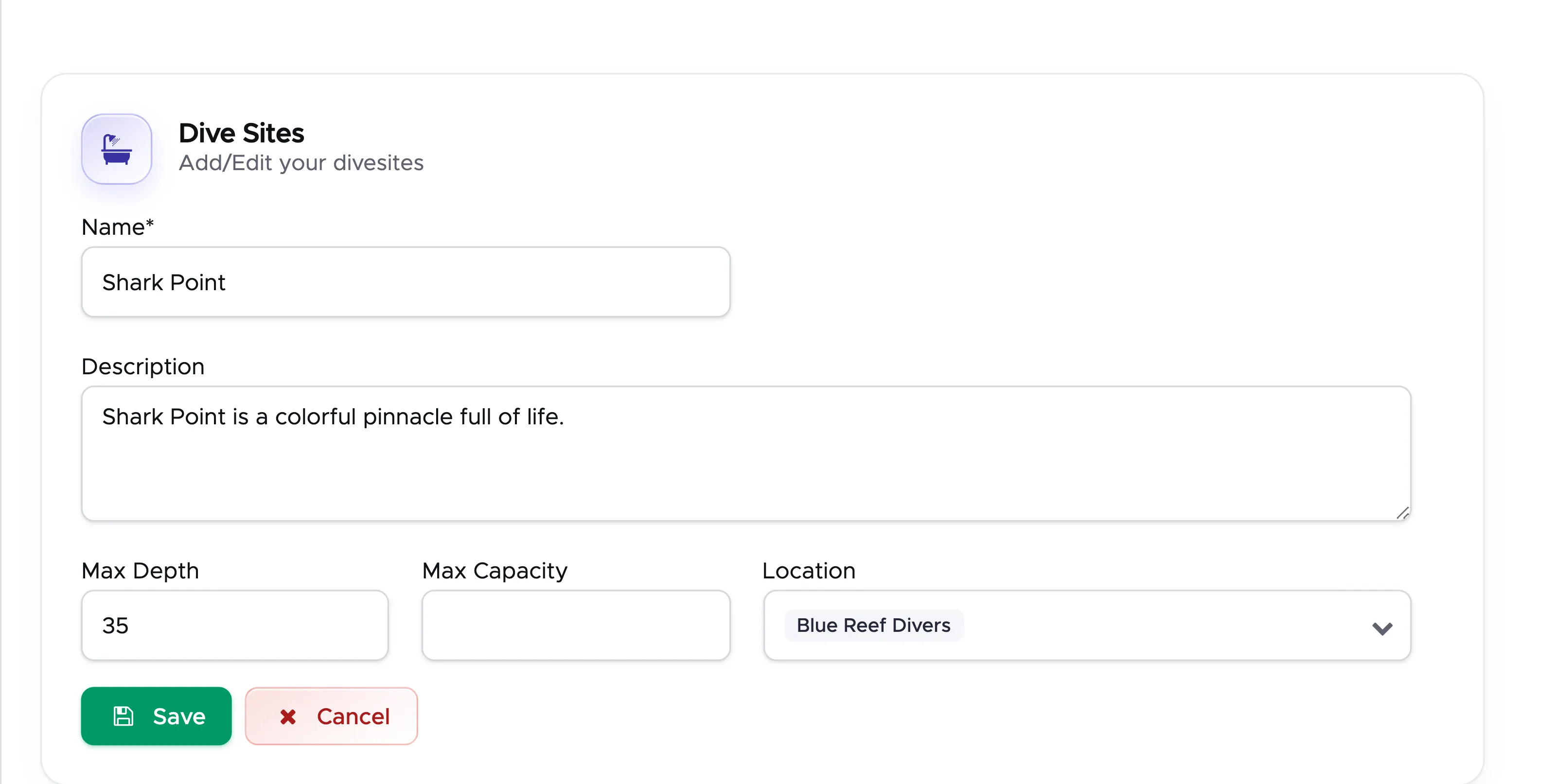
Only name and description are mandatory fields to save a dive site. The maximum capacity of a dive site is the maximum number of people that you can take to that dive site on any given day. This might be due to limited availability of marine park permits or other reasons. Your current location will be automatically selected in field Location. If you share the same dive site among your other locations, select them in the selection box.
Click on button Save to see your dive sites listed in the table below.
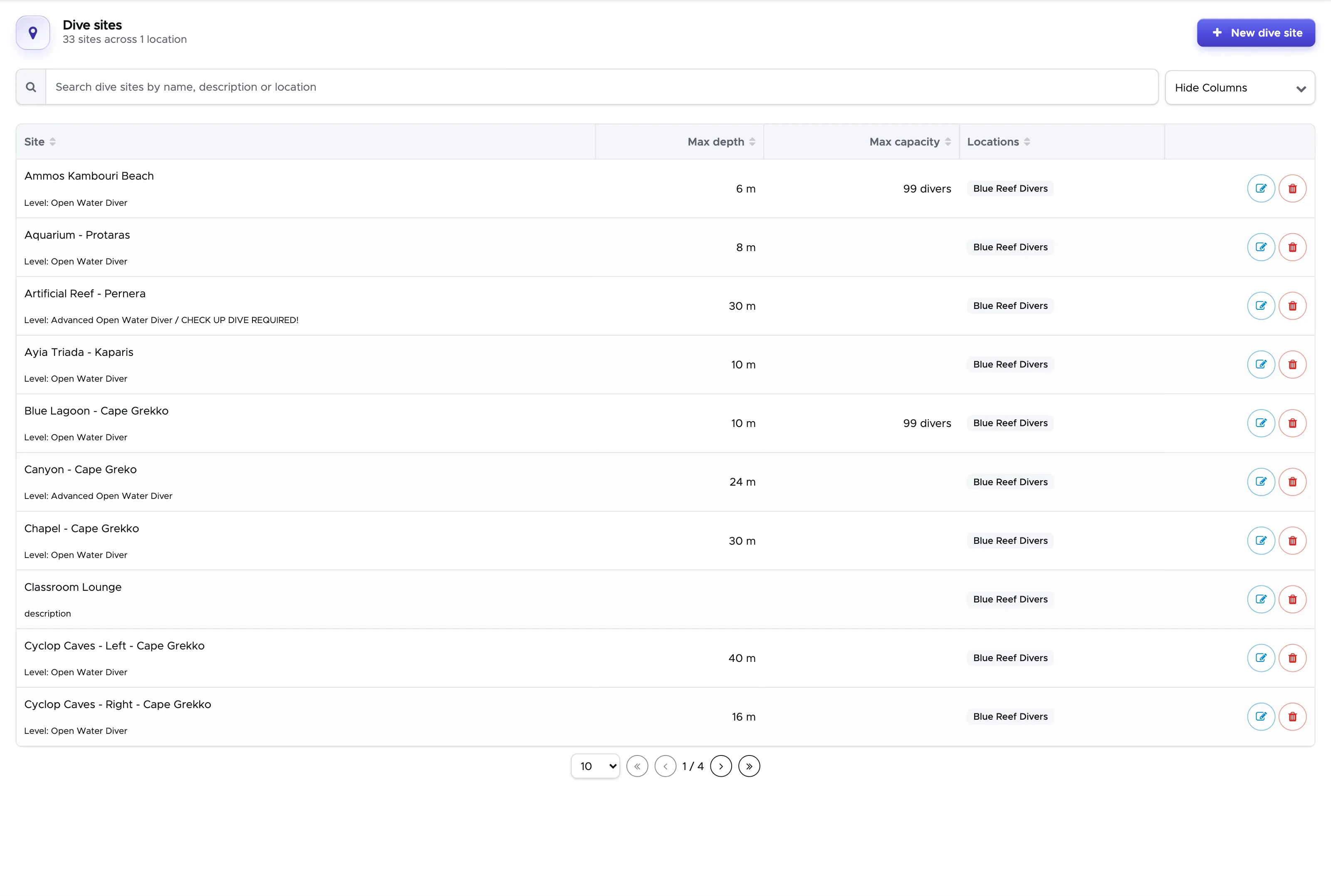
In case you need to modify any of the data of a dive site, just click on the blue edit button and you will see the current data in the sidebar. Make the appropriate changes and click on button Update.
If you wish to remove a dive site from your list, click on the red Delete button. Please consider that you can only delete dive sites assigned to your current location. To delete a dive site that is assigned to another location, you will have to switch to that location first.